
Andis Clipper Not Cutting Properly
A clipper that pulls hair, leaves lines or stops cutting is rarely finished. Four causes account for almost all of it, and the first two cost nothing to check. Buying a replacement blade belongs at the end of this list, not the start.
Quick diagnosis: symptom, cause, fix
Match what you are seeing to the table below before working through the full list - most cases have a five-second fix.
| Symptom | Likely cause | Fix |
|---|---|---|
| Pulls hair, sounds harsh, heats up fast | Dry blade | Oil across the teeth with the clipper running |
| Feels dull even though it was just oiled | Hair packed under the blade | Remove the blade and clear the underside |
| Cuts on one side only, leaves lines | Misalignment | Reset the cutter square and slightly back from the tips |
| Chatters or cuts unevenly | Tension too loose | Tighten the tension spring or screw |
| Drags and the motor labors | Tension too tight | Back the tension off slightly |
| Brand-new blade will not cut | Not oiled or not fully seated | Wipe, oil and click it fully onto the drive |
| Motor runs but the blade barely moves | Worn blade drive | See replacement parts |
| Slows down badly in thick hair, pitch drops | Motor or battery | Corded: check brushes. Cordless: check battery under load |
1. The blade is dry
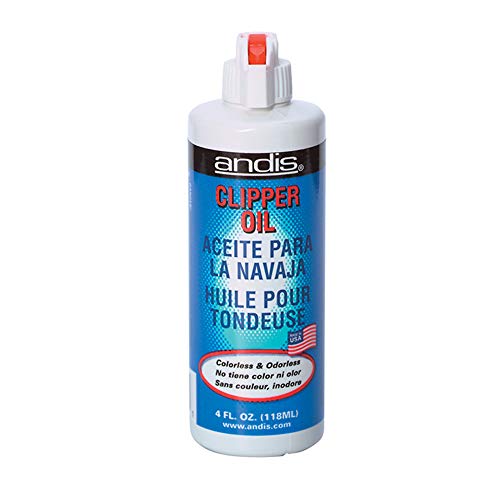
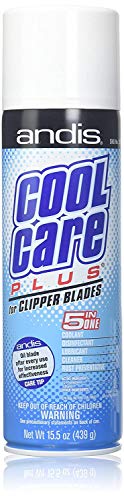
The most common cause by a wide margin. A dry blade pulls instead of cutting, heats quickly and sounds harsher. Put a few drops of clipper oil across the teeth with the machine running - if dryness was the problem, the change is immediate.
Do this even if you oiled recently. Oil migrates and evaporates, and a clipper stored for months is dry no matter how carefully it was put away.
Popular options on Amazon
Prices change often - check the current price on Amazon.


2. Hair packed under the blade
Debris between cutter and still blade stops them meeting cleanly and feels exactly like dullness. Brush it out, and on a detachable blade take the blade off and clear underneath - that is where it collects and where an outside brush never reaches.
Fine hair and dander build a felt-like layer that is easy to miss. If the blade looks clean and still pulls, take it off and check the underside.
3. Misalignment
This is behind most "cuts on one side only" and "leaves lines" complaints. The cutter should sit slightly back from the tips of the still blade - not flush, not overhanging - and square across the width.
Overhanging, it can catch skin. Too far back, the clipper cuts longer than its rating and struggles in thick coats. Loosen the screws, set it square and slightly back, retighten while holding position.
Misalignment usually appears suddenly, after a drop, rather than gradually - which is a useful clue that the blade itself is fine.
4. Tension
Tension holds the cutter against the still blade. Too loose and the blade chatters and cuts unevenly; too tight and it drags, overheats and loads the motor. On detachable blades this is set by a spring, and it is the thing most often left wrong after cleaning.
A new blade that still will not cut
Fitting a fresh blade and finding it still pulls is common, and a genuinely faulty blade is the rare cause. Run through three things before you write it off.
- Wipe and oil it first. Blades ship with a protective coating and no working oil. Wipe the teeth, add a few drops of clipper oil and run the machine for a few seconds - a dry new blade behaves exactly like a worn one.
- Check it is fully seated. A detachable blade has to click firmly onto the drive. Half-latched, the drive does not engage the cutter and the blade barely moves. With the machine off, push until it snaps home.
- Confirm it is the right system. A blade built to a common mounting pattern can clip onto a machine it was never meant for and cut badly - see clipper blades for the difference between the UltraEdge, T-blade and taper systems.
A correctly seated, oiled blade of the right type that still will not cut is defective - but that is the exception, not the first assumption.
If the clipper in question is a Select Cut or enVISION model, none of the above applies the way it does on a detachable machine - those clippers have no swap-in blade at all, and "not cutting" almost always means oil or packed hair rather than a bad fit. The full breakdown of which Andis clippers take a detachable blade and which do not is on the Andis clipper compatibility guide.
When it is the blade, and when it is the motor
Still pulling after oiling, cleaning, aligning and setting tension? The blade is worn or damaged - chipped or bent teeth are visible under good light. Replacement or professional sharpening is the answer; see clipper blades for fit.
Deciding which detachable line to replace it with? Compare UltraEdge vs CeramicEdge - same fit, different cutter.
A different symptom points elsewhere: the clipper slows badly the moment it touches hair, or the pitch drops under load, even with a fresh oiled blade. On a corded machine that suggests worn brushes or a tired armature; on a cordless one it is far more often a battery that no longer holds voltage under load.
One more pattern is worth ruling out: if the motor runs at full speed but the blade barely moves, the fault is usually the blade drive rather than the blade or the motor. That and the other serviceable pieces - the hinge, the drive cap, the cord - are covered under Andis clipper replacement parts, most of which swap in with a single screwdriver.
On a T-Outliner trimmer specifically, the blade sits closest when it is aligned just behind the still-blade tips; the Andis T-Outliner not cutting guide covers that adjustment and zero-gapping.
Dog coats are especially hard on blades, and a blade that will not cut is often simply the wrong size for the coat - the Andis dog clipper blades guide matches sizes to coat types.
Frequently Asked Questions
Why does my Andis clipper pull hair?
Why does it cut on one side only?
The clipper slows down in thick hair. Is the blade dull?
Is it worth resharpening a blade?
My new Andis blade will not cut. Is it faulty?
Why does my clipper get hot but still not cut well?
My Andis clippers won't cut at all - where do I start?
Ready to check the latest price?
Check Blades & Oil on Amazon